How to Use Sanchar Saathi App: Guide for Mobile Safety, Verification, and Fraud Protection

The Sanchar Saathi App serves as India’s official mobile verification application,  launched by the Department of Telecommunication (DoT) of the Indian government, aimed at improving handset security and curbing possible telecom fraud incidentsHowever, with the help of strong applications like KYM, TAFCOP,and CEIR, subscribers can now verify a phone’s authenticity,  monitor SIMs  associated  with their ID, or disable a stolen mobile phone and report fraudulent calls or messages. This complete guide to the Sanchar Saathi App provides detailed information on every feature step by  step,   including  prerequisitesand FAQs to ensure safe usage of the app

Contents

Prerequisites

  • Prior to utilizing the Sanchar Saathi App, ensure that you possess:
  • A mobile phone connected to the internet.
  • Your phone number for OTP confirmation
  • IMEI code of your device (dial *#06#)
  • FIR document or identity confirmation (only if you intend to block a stolen phone)

Recommended Tool:

Use Sanchar Saathi Portal for the  mobile verification, SIM tracking, and fraud reporting.

🔥 Get Sanchar Saathi App!

Download the official government app to strengthen your mobile security and prevent digital fraud.

Instructions in a step-by-step format

Here is the detailed Sanchar Saathi App Guide  featuring organized steps, explaintions  and image placeholders.

Step 1: Get the Sanchar Saathi App

  • Launch the Play Store or App Store and look for “Sanchar Saathi”.
  • Click Install to obtain the official application released by DoT
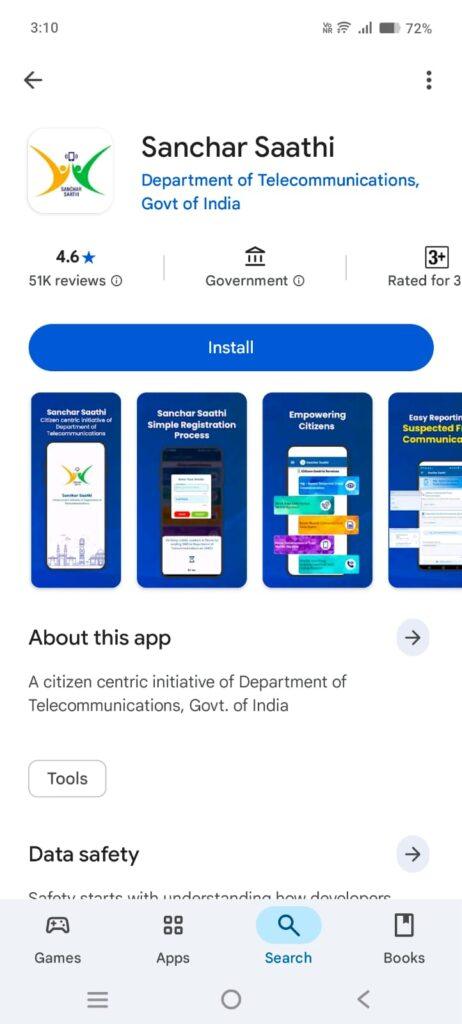
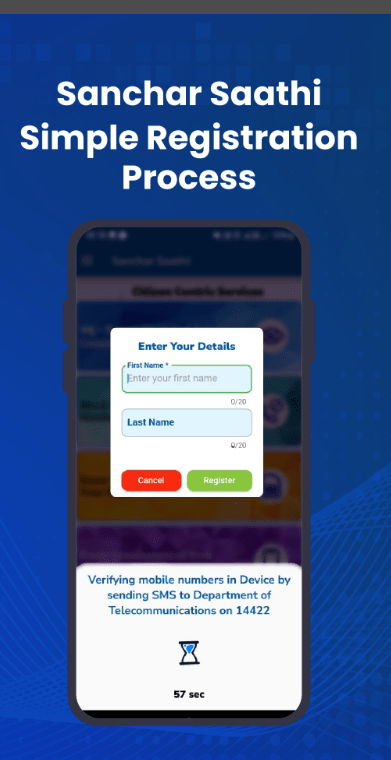
Step 2: Sign Up With Your Mobile Number

  • Once you launch the app, input your mobile number.
  • You will get an OTP; input it to confirm your identity
Step3:Confirm Device Legitimacy Through KYM

  • Select KYM (Know Your Mobile).
  • Input your phone’s IMEI number to verify whether your device is authentic, blacklisted, or marked as stolen.
This step is important before buying a second-hand mobile phone.

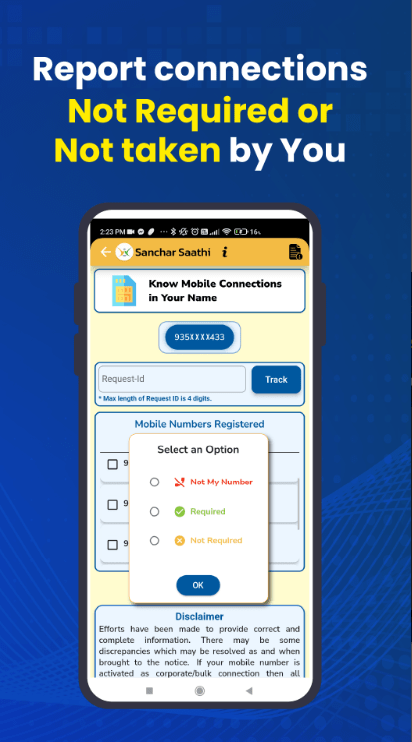
Step 4: Verify SIM Cards Associated with Your Identity via TAFCOP

  • Go to Mobile Connections in TAFCOP.
  • A list of all mobile numbers assigned to your identity will be displayed.
  • If you encounter an unfamiliar number → Select Report Not Mine
  • Send the application to avoid the abuse of your Aadhaar information.

Step 5: Use CEIR to Block a Lost or Stolen Phone

Select Block Lost or Stolen Phone (CEIR).

  • IMEI code
  • Cell phone number
  • Device information
  • FIR duplicate or identification proof (if necessary)
 
Fill out the form to disable the phone on all Indian networks. Even if a person replaces the SIM, the phone will remain nonfunctional
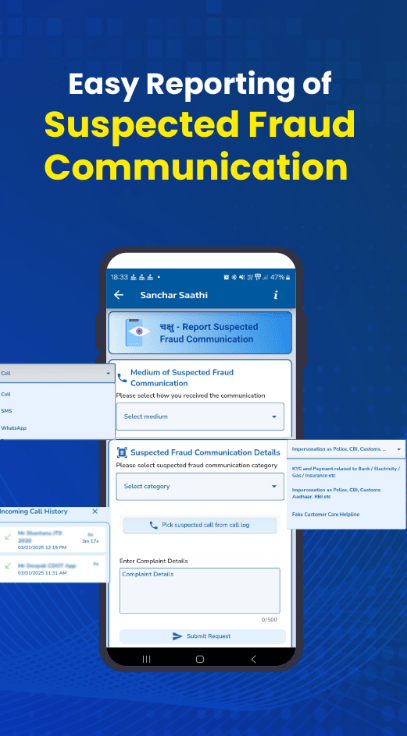
Choose Report Suspected Fraud Notification.Decide if the fraud was received through:
  • Call
  • SMS
  • WhatsApp (if supported)

Provide details and submit.

This helps the DoT block scam numbers and protect users nationwide.

FAQs

1. Is the Sanchar Saathi App free?

Yes, it is 100% free and  this App is developed  by the Government of India.

No. You can block the device, but live tracking is not provided for privacy reasons.


Up to 9 SIM cards are allowed under one Aadhaar.

Usually a few hours after verification.

🔥Get Sanchar Saathi App!

Download the official government app to strengthen your mobile security and prevent digital fraud.